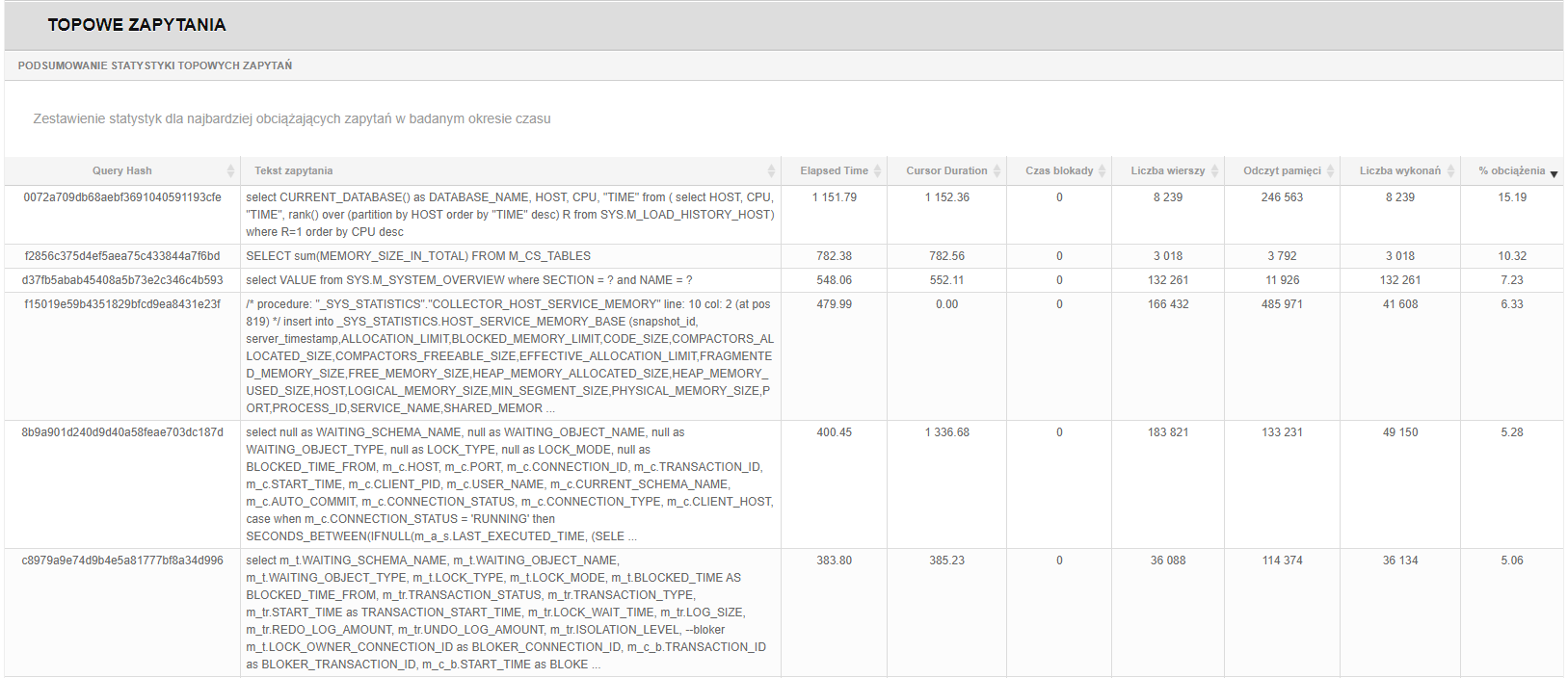
The report contains information about the most important performance statistics for a given
database. It contains data on the top queries executed in the database during the selected
time period.
The report can be generated for the selected period, in the selected language version. You start generating the report by clicking [Run Report] After generation, the report is visible in the application. Saving the report in *.docx form is available by clicking [Save Report].
The report contains information on:
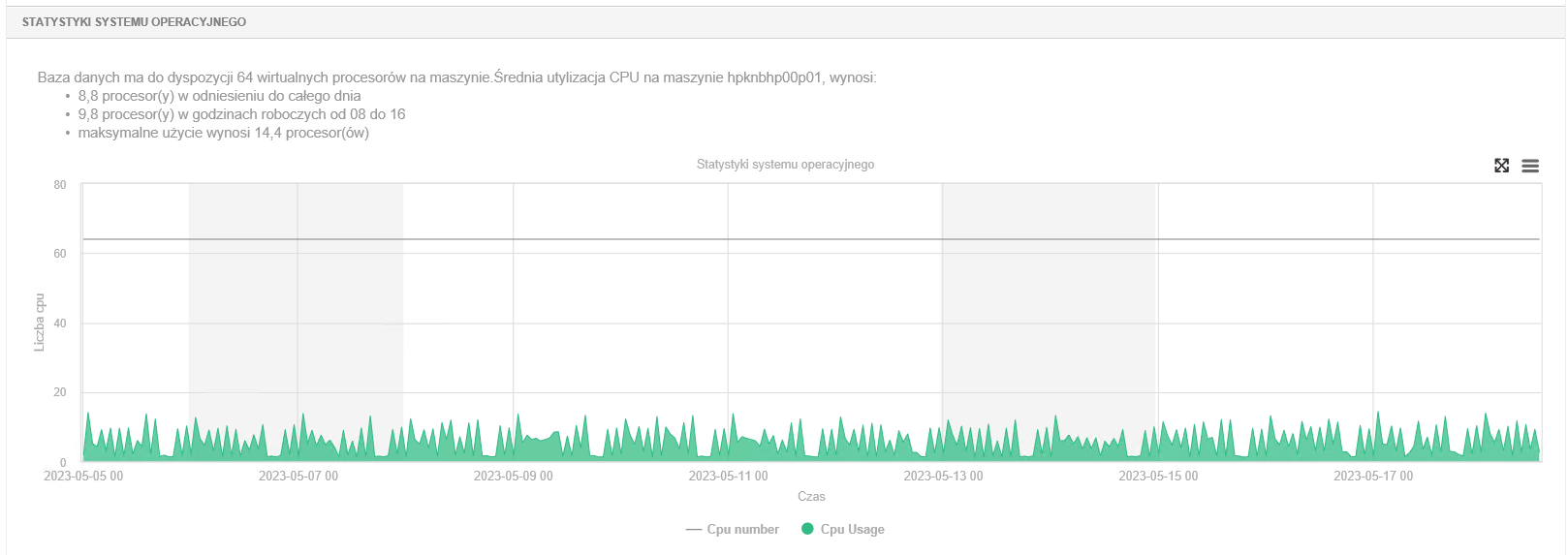
General instance information (includes basic database parameters)
Performance description
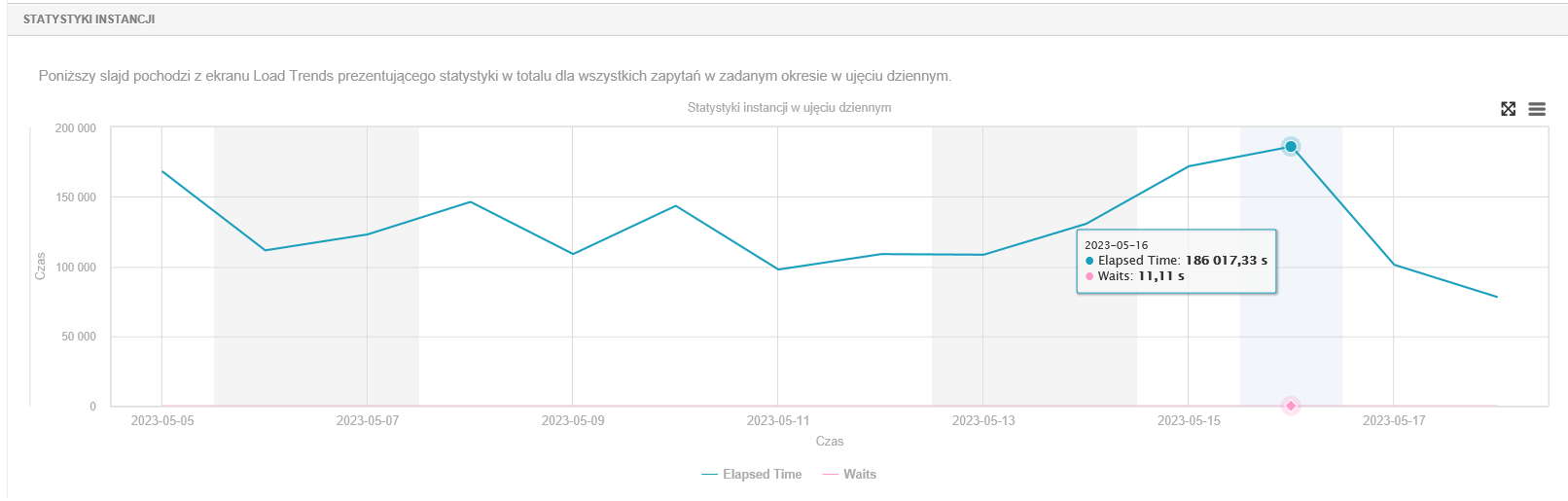
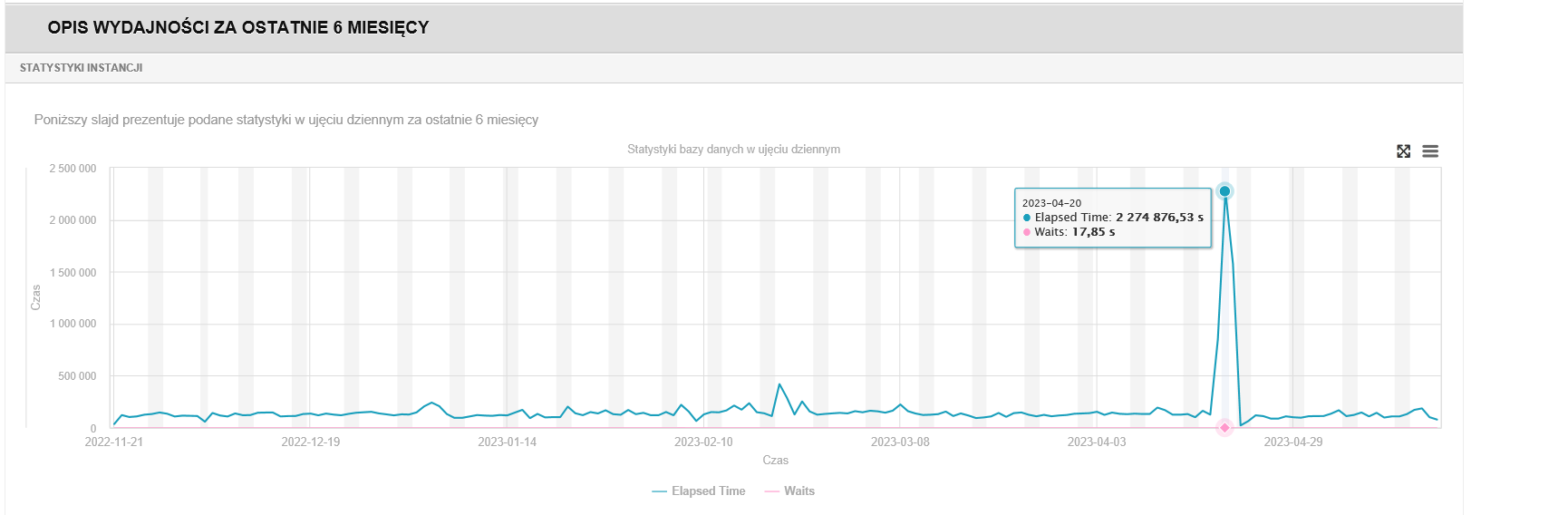
- Instance statistics, showing total query time, wait time and locks.
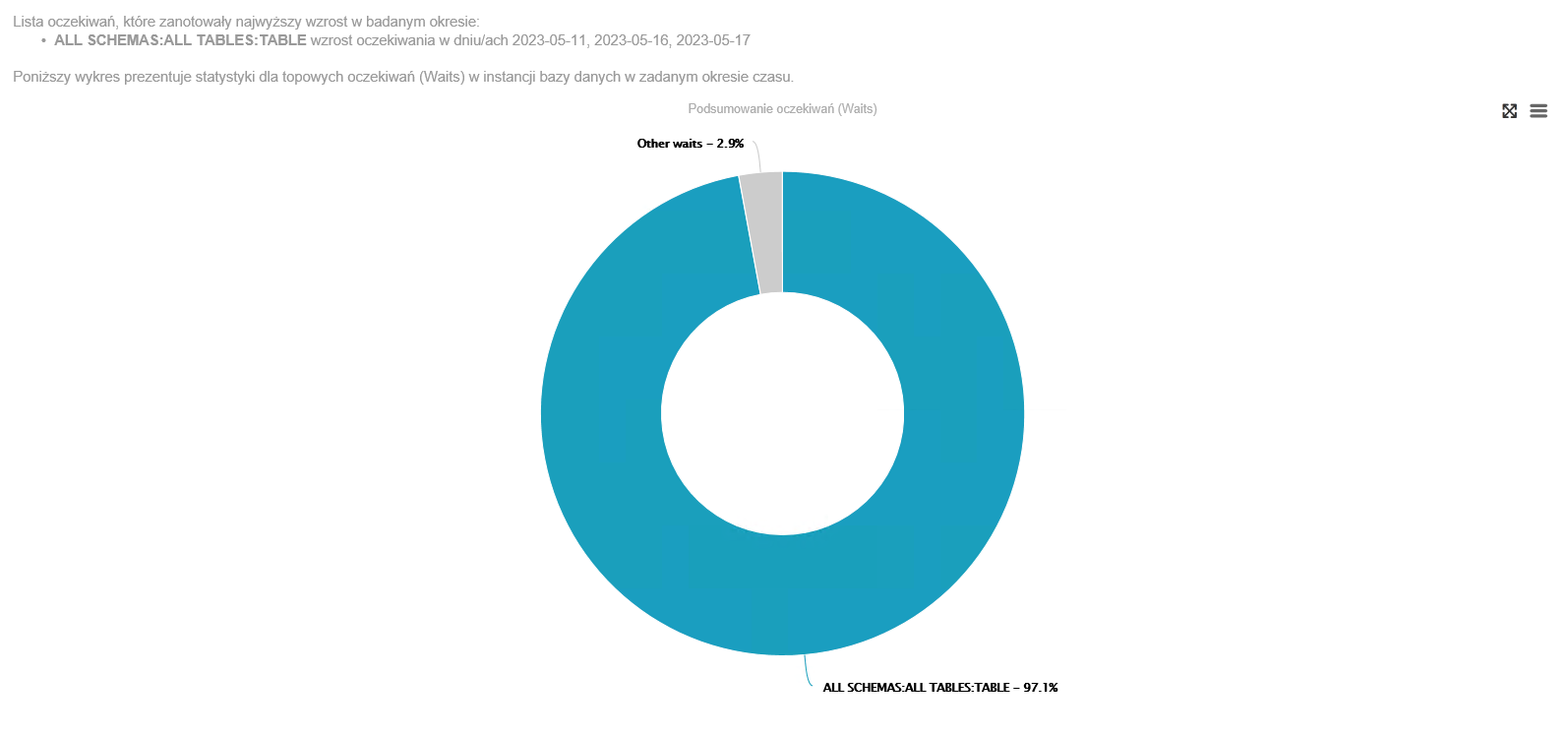
- top waits stats
Description of performance for the last 6 months
Top queries The chapter presents information about the ten most aggravating queries executed in the instance during the time period for which the report was prepared. The summary includes: